Skip to content

mjsx

mjsx is a JSX UI engine small enough to run on a microcontroller.

packages/core/src/mjsx.js is the whole portable engine — h(), layout (width-in, height-out, no VDOM), hit testing, the pointer state machine, text input with virtual keyboards, and modals — written in the ES5 subset MicroQuickJS accepts, so the same file runs unmodified on a chip, in a terminal, in a browser tab and in a native window. The contract is ten gfx calls plus sys.millis()clear, rect, frect, circle, line, text, clip, unclip, width, height — and a backend is whatever realizes those ten; nothing above that line changes per target.

New here, go to getting-started.md. Writing a backend, go to contract.md.

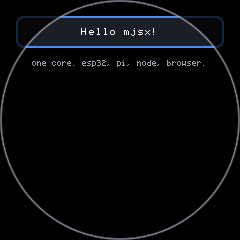
examples/hello — The smallest real mjsx app: a panel, a border, some centred text.
Round, 240×240. examples/hello — The smallest real mjsx app: a panel, a border, some centred text. ▶ Run it
examples/hello — The smallest real mjsx app: a panel, a border, some centred text.
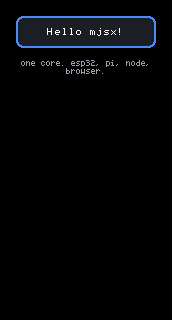
Portrait, 172×320. examples/hello — The smallest real mjsx app: a panel, a border, some centred text. ▶ Run it
examples/hello — The smallest real mjsx app: a panel, a border, some centred text.
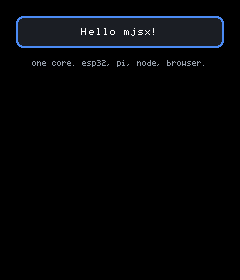
Portrait, 240×280. examples/hello — The smallest real mjsx app: a panel, a border, some centred text. ▶ Run it
examples/hello — The smallest real mjsx app: a panel, a border, some centred text.
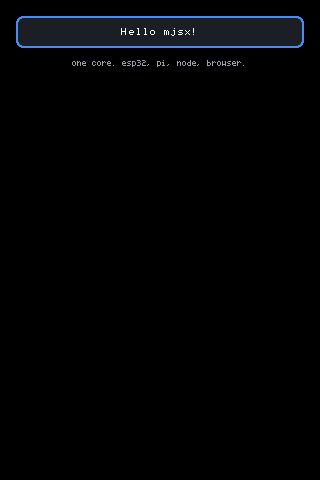
Portrait, 320×480. examples/hello — The smallest real mjsx app: a panel, a border, some centred text. ▶ Run it
<box bg={UI.theme.panel} radius={8} border={UI.theme.accent} borderW={2}
pad={em(1.5)}>
<text text="Hello mjsx!" size={2} color={UI.theme.text} align="center" />
</box>
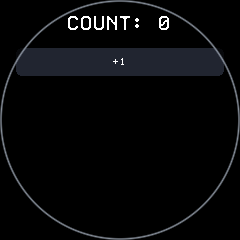
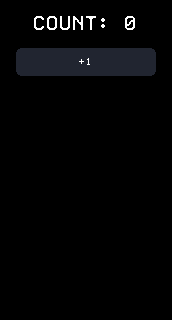
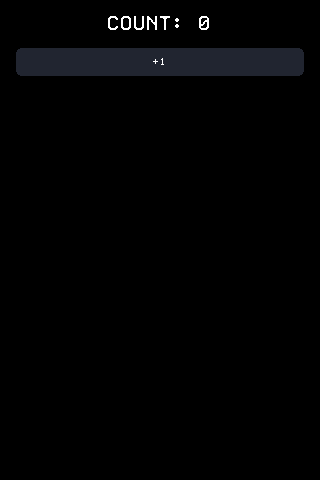
examples/counter — A stateful example: tap the button, the count changes, the screen redraws to match.
Round, 240×240. examples/counter — A stateful example: tap the button, the count changes, the screen redraws to match. ▶ Run it
examples/counter — A stateful example: tap the button, the count changes, the screen redraws to match.
Portrait, 172×320. examples/counter — A stateful example: tap the button, the count changes, the screen redraws to match. ▶ Run it
examples/counter — A stateful example: tap the button, the count changes, the screen redraws to match.
Portrait, 320×480. examples/counter — A stateful example: tap the button, the count changes, the screen redraws to match. ▶ Run it
<Button label="+1" size={2}
onTap={function () { UI.set({ count: count + 1 }); }} />
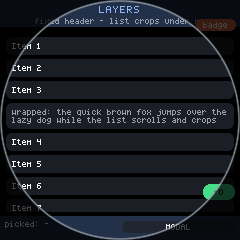
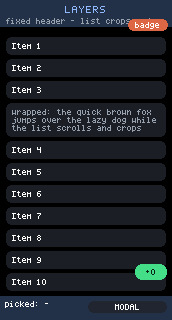
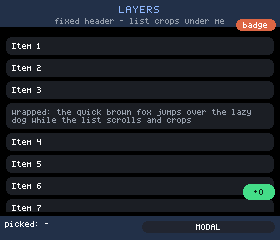
examples/layers — Layering / scrolling / cropping torture test.
Round, 240×240. examples/layers — Layering / scrolling / cropping torture test. ▶ Run it
examples/layers — Layering / scrolling / cropping torture test.
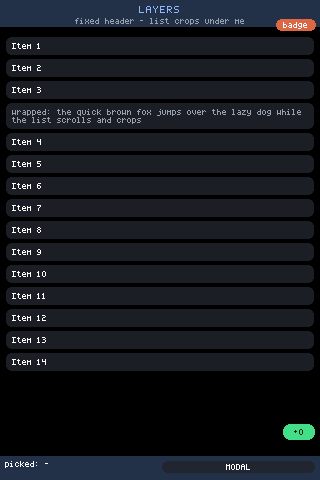
Portrait, 172×320. examples/layers — Layering / scrolling / cropping torture test. ▶ Run it
examples/layers — Layering / scrolling / cropping torture test.
Landscape, 280×240. examples/layers — Layering / scrolling / cropping torture test. ▶ Run it
examples/layers — Layering / scrolling / cropping torture test.
Portrait, 320×480. examples/layers — Layering / scrolling / cropping torture test. ▶ Run it
examples/layers — Layering / scrolling / cropping torture test.
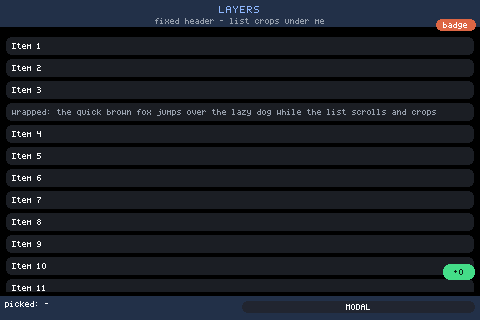
Landscape, 480×320. examples/layers — Layering / scrolling / cropping torture test. ▶ Run it
<box flex={1} scroll="main" pad={em(0.75)} gap={em(0.5)}>
{kids}
</box>
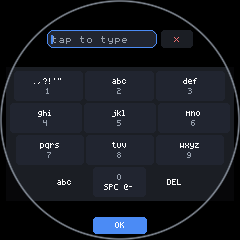
The AUTO layout on round glass: at a quarter-screen height the keys come out under a finger, so the keyboard takes the whole display and insets every row to the chord it actually has — the trapezoid. auto on round glass measures the CHORD where the bottom rows sit (154px across a 240px circle, not 240) and picks T9.
Round, 240×240. The AUTO layout on round glass: at a quarter-screen height the keys come out under a finger, so the keyboard takes the whole display and insets every row to the chord it actually has — the trapezoid. auto on round glass measures the CHORD where the bottom rows sit (154px across a 240px circle, not 240) and picks T9.
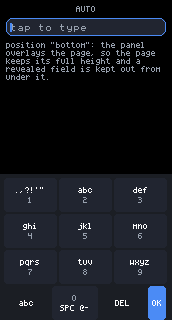
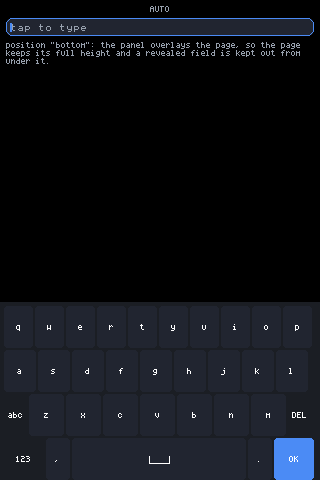
The AUTO layout docked at the bottom of lcd147 (172x320), field focused: auto on 172px picks T9: ten columns do not fit, four do.
Portrait, 172×320. The AUTO layout docked at the bottom of lcd147 (172x320), field focused: auto on 172px picks T9: ten columns do not fit, four do.
The AUTO layout docked at the bottom of lcd35 (320x480), field focused: auto on 320px of glass picks QWERTY: ten columns of ~22px fit.
Portrait, 320×480. The AUTO layout docked at the bottom of lcd35 (320x480), field focused: auto on 320px of glass picks QWERTY: ten columns of ~22px fit.
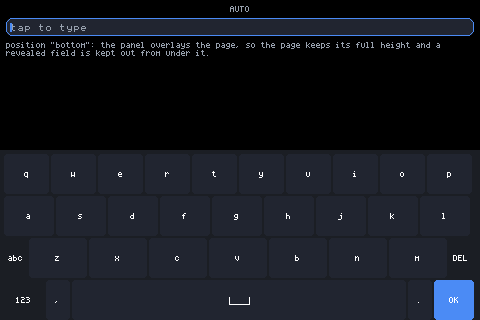
The AUTO layout on a 480x320 desktop window: auto on 480px picks QWERTY with room to spare.
Landscape, 480×320. The AUTO layout on a 480x320 desktop window: auto on 480px picks QWERTY with room to spare.
h(Keyboard, { layout: kb, position: pos, height: Math.floor(gfx.height() / 2.6) })
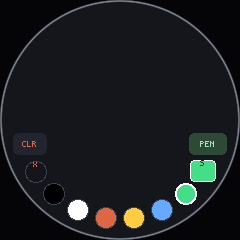
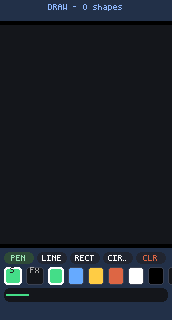
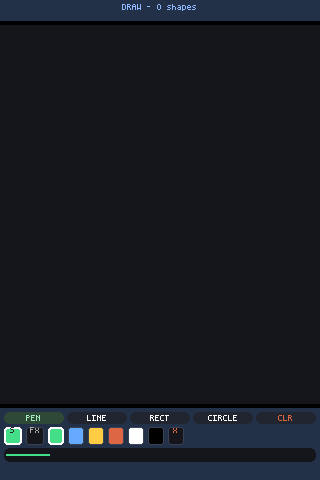
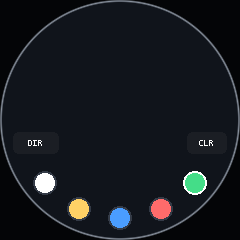
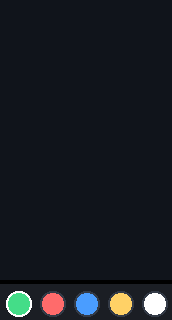
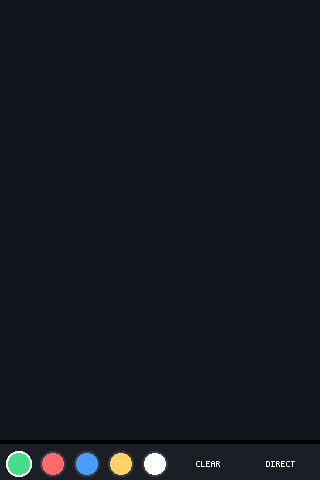
examples/draw — Freehand drawing with tools - the onDraw capture control in action.
Round, 240×240. examples/draw — Freehand drawing with tools - the onDraw capture control in action. ▶ Run it
examples/draw — Freehand drawing with tools - the onDraw capture control in action.
Portrait, 172×320. examples/draw — Freehand drawing with tools - the onDraw capture control in action. ▶ Run it
examples/draw — Freehand drawing with tools - the onDraw capture control in action.
Portrait, 320×480. examples/draw — Freehand drawing with tools - the onDraw capture control in action. ▶ Run it
examples/draw — Freehand drawing with tools - the onDraw capture control in action.
Round, 240×240. examples/draw — Freehand drawing with tools - the onDraw capture control in action. ▶ Run it
examples/draw — Freehand drawing with tools - the onDraw capture control in action.
Portrait, 172×320. examples/draw — Freehand drawing with tools - the onDraw capture control in action. ▶ Run it
examples/draw — Freehand drawing with tools - the onDraw capture control in action.
Portrait, 320×480. examples/draw — Freehand drawing with tools - the onDraw capture control in action. ▶ Run it
{h(ArcFooter, { items: items, spread: 150, inset: 10 })}

Documentation, by what you are trying to do

Section titled “Documentation, by what you are trying to do”
PageThe question it answers
getting-started.mdInstall, run an example in a window and in the terminal, write a first app, push it to a board.
../examples/README.md (examples/README.md in the repo)The fourteen shipped examples and what each one demonstrates. Every one is a single flat app.jsx with no imports and no build step.
examples/hello — The smallest real mjsx app: a panel, a border, some centred text.
Round, 240×240. examples/hello — The smallest real mjsx app: a panel, a border, some centred text. ▶ Run it
examples/hello — The smallest real mjsx app: a panel, a border, some centred text.
Portrait, 172×320. examples/hello — The smallest real mjsx app: a panel, a border, some centred text. ▶ Run it
examples/hello — The smallest real mjsx app: a panel, a border, some centred text.
Portrait, 240×280. examples/hello — The smallest real mjsx app: a panel, a border, some centred text. ▶ Run it
examples/hello — The smallest real mjsx app: a panel, a border, some centred text.
Portrait, 320×480. examples/hello — The smallest real mjsx app: a panel, a border, some centred text. ▶ Run it
PageThe question it answers
ui.mdThe app-author API: h() and JSX, every element and its props, UI.state/UI.set/UI.memo, the pointer model, keys and focus, timers, configStorage, safe insets.
layout.mdHow box, row, flex weights, abs, clip/offX and scroll zones actually place things — width-in, height-out, and where the pixels end up.
fonts.mdWhich face draws at which size, what em() snaps to, and why text measurement is a shared responsibility between core and backend.

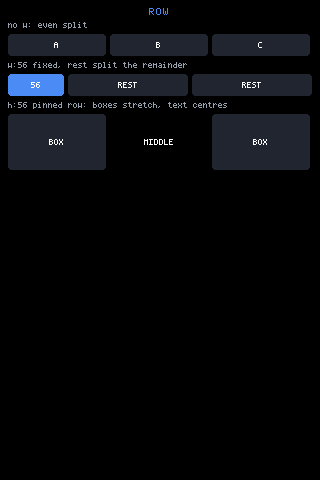
row: children side by side — an even split, a fixed w with the rest sharing the remainder, and a pinned-height row where boxes stretch and text centres.
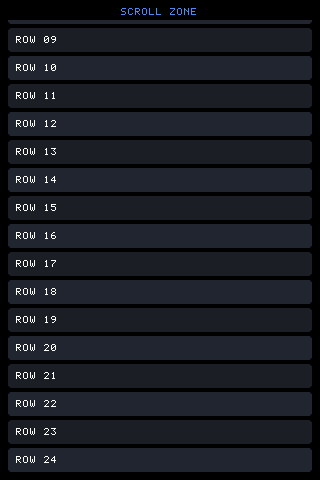
A scroll zone 220px down its content. Drawing and hit areas both move, and the offset persists across renders because it lives under the zone’s name in UI._scroll.
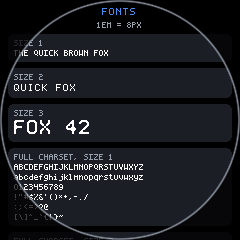
The font page on round glass: em() spacing follows the picked face, so the same source lays out for the smaller panel without a size in it changing.
Round, 240×240. The font page on round glass: em() spacing follows the picked face, so the same source lays out for the smaller panel without a size in it changing.
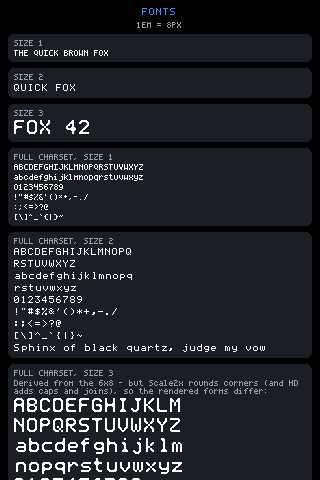
The AUTO ladder (the default): every text size picks the sharpest native font that fits it — 4x6 at size 1, 6x8 at size 2, 12x16 at size 3.
Portrait, 320×480. The AUTO ladder (the default): every text size picks the sharpest native font that fits it — 4x6 at size 1, 6x8 at size 2, 12x16 at size 3.
<text text={'1EM = ' + em(1) + 'PX'} size={1} align="center" color={UI.theme.muted} />
PageThe question it answers
components.mdThe ready-made components — Button, input, Keyboard, ArcFooter — every prop, and the fact that all of them are built from the same box/row/text/abs any app has.
keyboards.mdThe four layouts plus auto: how a layout is chosen from the width the keys actually get, shift and the symbol pages, T9 multi-tap, docking versus taking the whole display.
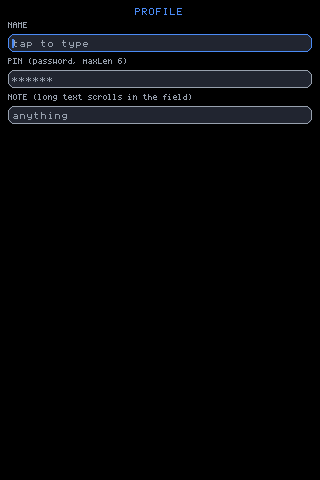
input.mdThe text field: focus and caret, password, maxLen, overflow, where the keyboard goes, and how the mirrored field in exclusive mode is the same field.
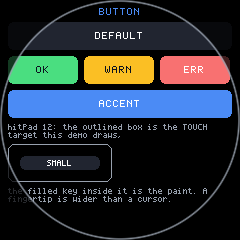
The same button page on round glass.
Round, 240×240. The same button page on round glass.
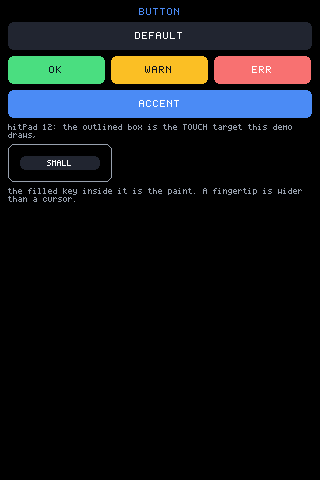
Button: the default key colour, the theme colours passed as bg, and a small button whose hitPad grows the touch target past the paint (the outlined box).
Portrait, 320×480. Button: the default key colour, the theme colours passed as bg, and a small button whose hitPad grows the touch target past the paint (the outlined box).
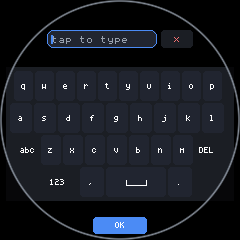
The QWERTY layout on round glass: at a quarter-screen height the keys come out under a finger, so the keyboard takes the whole display and insets every row to the chord it actually has — the trapezoid. The arc under the panel carries an OK of its own, so QWERTY shows two.
Round, 240×240. The QWERTY layout on round glass: at a quarter-screen height the keys come out under a finger, so the keyboard takes the whole display and insets every row to the chord it actually has — the trapezoid. The arc under the panel carries an OK of its own, so QWERTY shows two.
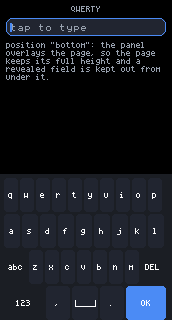
The QWERTY layout docked at the bottom of lcd147 (172x320), field focused: a named layout is honoured exactly, however cramped.
Portrait, 172×320. The QWERTY layout docked at the bottom of lcd147 (172x320), field focused: a named layout is honoured exactly, however cramped.
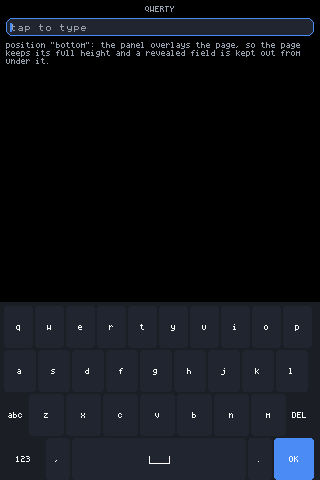
The QWERTY layout docked at the bottom of lcd35 (320x480), field focused: a named layout is honoured exactly, however cramped.
Portrait, 320×480. The QWERTY layout docked at the bottom of lcd35 (320x480), field focused: a named layout is honoured exactly, however cramped.
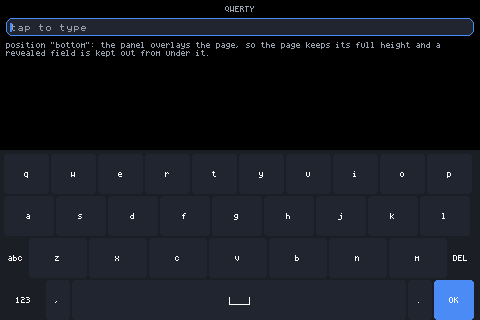
The QWERTY layout on a 480x320 desktop window: the width ten columns were drawn for.
Landscape, 480×320. The QWERTY layout on a 480x320 desktop window: the width ten columns were drawn for.
A focused field on the 172x320 panel — the narrowest glass in the fleet.
Portrait, 172×320. A focused field on the 172x320 panel — the narrowest glass in the fleet.
The focused field: accent border, caret at the insertion point, placeholder gone.
Portrait, 320×480. The focused field: accent border, caret at the insertion point, placeholder gone.
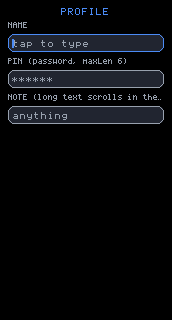
<input id={p.id} size={p.size || 2} placeholder={p.placeholder}
password={p.password} maxLen={p.maxLen}
label={p.label} exclusive={p.exclusive}
onSubmit={function (v) { UI.set({ last: p.label + ': ' + v }); }} />
PageThe question it answers
devices.mdThe four-board ESP32-S3 fleet: which flag builds which board, first flash over chunked USB, every flash after that over OTA, WiFi provisioning, and the push → screenshot → tap loop.
Figures and screenshotsHow every picture here was made, and how to reproduce or re-render one.
round.mdRound glass: safe insets, the chord a row can actually use, footers that follow the rim, and the extra scroll range at the end of every zone.
shapes.mdOne screen on every shape in the fleet, side by side: the same focused examples/input on round, portrait, narrow-portrait, landscape and large-landscape glass, with what each shape changed.
The identical source on round glass: UI.safe.inset holds the rows inside the chord, the footer follows the rim, and the corners stay empty because they do not exist.
Round, 240×240. The identical source on round glass: UI.safe.inset holds the rows inside the chord, the footer follows the rim, and the corners stay empty because they do not exist.
One page, square glass: full-bleed rows, the ArcFooter riding the bottom edge.
Portrait, 320×480. One page, square glass: full-bleed rows, the ArcFooter riding the bottom edge.
The identical source on round glass: UI.safe.inset holds the rows inside the chord, the footer follows the rim, and the corners stay empty because they do not exist.
Round, 240×240. The identical source on round glass: UI.safe.inset holds the rows inside the chord, the footer follows the rim, and the corners stay empty because they do not exist.
One page, square glass: full-bleed rows, the ArcFooter riding the bottom edge.
Portrait, 320×480. One page, square glass: full-bleed rows, the ArcFooter riding the bottom edge.
var round = UI.isRound();
PageThe question it answers
hardware-api.mdsys.gpio(pin, op, value) and sys.i2c(addr, reg, value) on the ESP32 bridge firmware — what each op does, which pins the firmware refuses, and why there is no sys.uart.
sensors.mdReading motion and the rest of the board from a script: what the host offers, how an app checks before calling, and what it shows when the hardware is not there.
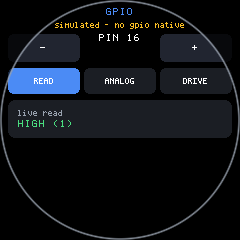
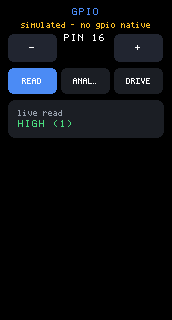
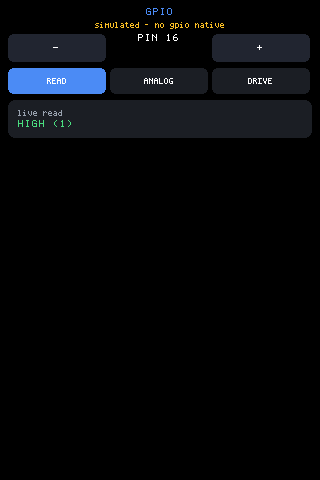
examples/gpio — Direct pin access through sys.gpio(pin, op, value): op 0 reads (the firmware sets INPUT_PULLUP first, so an open pin reads 1) op 1. . . No device natives under the pure-js backend, so the app draws its own labelled fallback (the line under the title).
Round, 240×240. examples/gpio — Direct pin access through sys.gpio(pin, op, value): op 0 reads (the firmware sets INPUT_PULLUP first, so an open pin reads 1) op 1. . . No device natives under the pure-js backend, so the app draws its own labelled fallback (the line under the title). ▶ Run it
examples/gpio — Direct pin access through sys.gpio(pin, op, value): op 0 reads (the firmware sets INPUT_PULLUP first, so an open pin reads 1) op 1. . . No device natives under the pure-js backend, so the app draws its own labelled fallback (the line under the title).
Portrait, 172×320. examples/gpio — Direct pin access through sys.gpio(pin, op, value): op 0 reads (the firmware sets INPUT_PULLUP first, so an open pin reads 1) op 1. . . No device natives under the pure-js backend, so the app draws its own labelled fallback (the line under the title). ▶ Run it
examples/gpio — Direct pin access through sys.gpio(pin, op, value): op 0 reads (the firmware sets INPUT_PULLUP first, so an open pin reads 1) op 1. . . No device natives under the pure-js backend, so the app draws its own labelled fallback (the line under the title).
Portrait, 320×480. examples/gpio — Direct pin access through sys.gpio(pin, op, value): op 0 reads (the firmware sets INPUT_PULLUP first, so an open pin reads 1) op 1. . . No device natives under the pure-js backend, so the app draws its own labelled fallback (the line under the title). ▶ Run it
var HAVE = typeof sys !== 'undefined' && typeof sys.gpio === 'function';
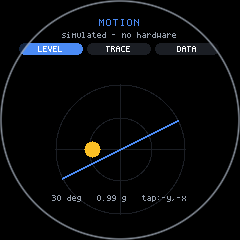
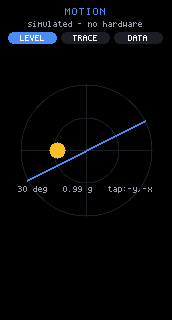
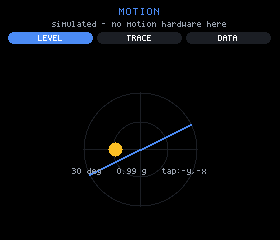
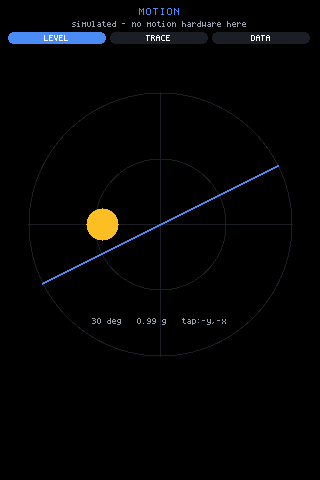
examples/sensors — Every motion sensor the host has, three ways to look at it. No device natives under the pure-js backend, so the app draws its own labelled fallback (the line under the title).
Round, 240×240. examples/sensors — Every motion sensor the host has, three ways to look at it. No device natives under the pure-js backend, so the app draws its own labelled fallback (the line under the title). ▶ Run it
examples/sensors — Every motion sensor the host has, three ways to look at it. No device natives under the pure-js backend, so the app draws its own labelled fallback (the line under the title).
Portrait, 172×320. examples/sensors — Every motion sensor the host has, three ways to look at it. No device natives under the pure-js backend, so the app draws its own labelled fallback (the line under the title). ▶ Run it
examples/sensors — Every motion sensor the host has, three ways to look at it. No device natives under the pure-js backend, so the app draws its own labelled fallback (the line under the title).
Landscape, 280×240. examples/sensors — Every motion sensor the host has, three ways to look at it. No device natives under the pure-js backend, so the app draws its own labelled fallback (the line under the title). ▶ Run it
examples/sensors — Every motion sensor the host has, three ways to look at it. No device natives under the pure-js backend, so the app draws its own labelled fallback (the line under the title).
Portrait, 320×480. examples/sensors — Every motion sensor the host has, three ways to look at it. No device natives under the pure-js backend, so the app draws its own labelled fallback (the line under the title). ▶ Run it
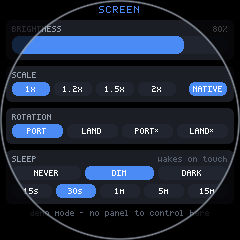
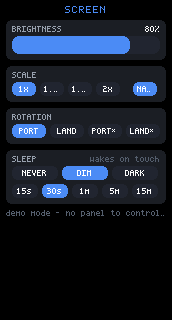
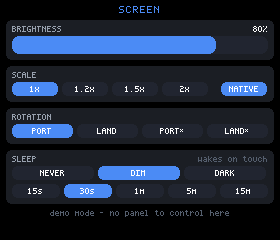
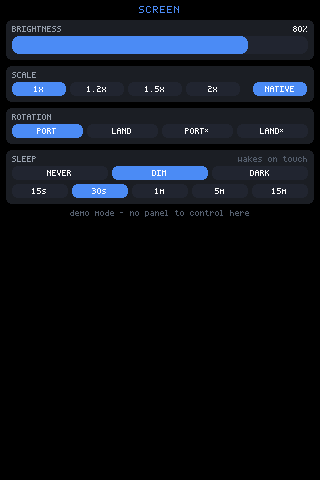
examples/screen — Screen settings, in JSX: brightness, sleep timeout, and what sleeping means (dim to readable, or dark). No device natives under the pure-js backend, so the app draws its own labelled fallback (the line under the title).
Round, 240×240. examples/screen — Screen settings, in JSX: brightness, sleep timeout, and what sleeping means (dim to readable, or dark). No device natives under the pure-js backend, so the app draws its own labelled fallback (the line under the title). ▶ Run it
examples/screen — Screen settings, in JSX: brightness, sleep timeout, and what sleeping means (dim to readable, or dark). No device natives under the pure-js backend, so the app draws its own labelled fallback (the line under the title).
Portrait, 172×320. examples/screen — Screen settings, in JSX: brightness, sleep timeout, and what sleeping means (dim to readable, or dark). No device natives under the pure-js backend, so the app draws its own labelled fallback (the line under the title). ▶ Run it
examples/screen — Screen settings, in JSX: brightness, sleep timeout, and what sleeping means (dim to readable, or dark). No device natives under the pure-js backend, so the app draws its own labelled fallback (the line under the title).
Landscape, 280×240. examples/screen — Screen settings, in JSX: brightness, sleep timeout, and what sleeping means (dim to readable, or dark). No device natives under the pure-js backend, so the app draws its own labelled fallback (the line under the title). ▶ Run it
examples/screen — Screen settings, in JSX: brightness, sleep timeout, and what sleeping means (dim to readable, or dark). No device natives under the pure-js backend, so the app draws its own labelled fallback (the line under the title).
Portrait, 320×480. examples/screen — Screen settings, in JSX: brightness, sleep timeout, and what sleeping means (dim to readable, or dark). No device natives under the pure-js backend, so the app draws its own labelled fallback (the line under the title). ▶ Run it
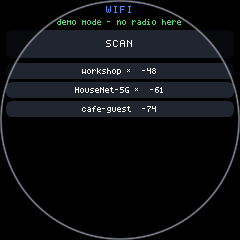
examples/wifi — WiFi setup, in JSX — the native settings page's job, done by a script. No device natives under the pure-js backend, so the app draws its own labelled fallback (the line under the title).
Round, 240×240. examples/wifi — WiFi setup, in JSX — the native settings page's job, done by a script. No device natives under the pure-js backend, so the app draws its own labelled fallback (the line under the title). ▶ Run it
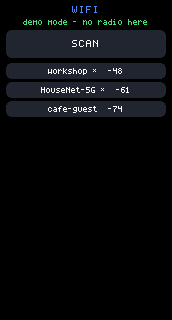
examples/wifi — WiFi setup, in JSX — the native settings page's job, done by a script. No device natives under the pure-js backend, so the app draws its own labelled fallback (the line under the title).
Portrait, 172×320. examples/wifi — WiFi setup, in JSX — the native settings page's job, done by a script. No device natives under the pure-js backend, so the app draws its own labelled fallback (the line under the title). ▶ Run it
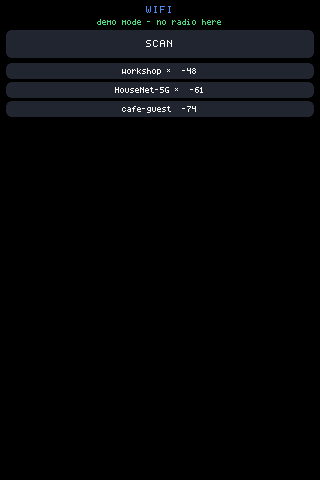
examples/wifi — WiFi setup, in JSX — the native settings page's job, done by a script. No device natives under the pure-js backend, so the app draws its own labelled fallback (the line under the title).
Portrait, 320×480. examples/wifi — WiFi setup, in JSX — the native settings page's job, done by a script. No device natives under the pure-js backend, so the app draws its own labelled fallback (the line under the title). ▶ Run it
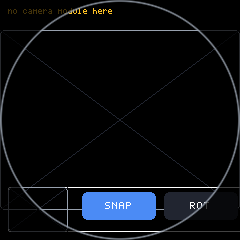
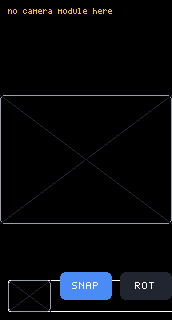
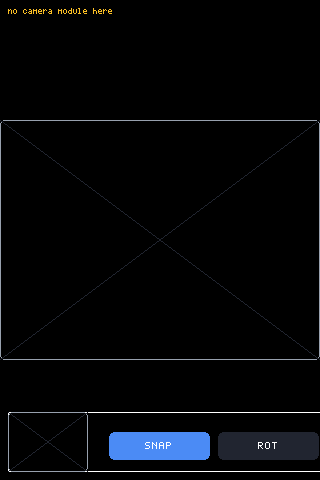
examples/camera — The camera, as canvas sources: the module drops a live frame into the PREVIEW canvas (~8fps, small) and SNAP copies one full frame into. . . No device natives under the pure-js backend, so the app draws its own labelled fallback (the line under the title).
Round, 240×240. examples/camera — The camera, as canvas sources: the module drops a live frame into the PREVIEW canvas (~8fps, small) and SNAP copies one full frame into. . . No device natives under the pure-js backend, so the app draws its own labelled fallback (the line under the title). ▶ Run it
examples/camera — The camera, as canvas sources: the module drops a live frame into the PREVIEW canvas (~8fps, small) and SNAP copies one full frame into. . . No device natives under the pure-js backend, so the app draws its own labelled fallback (the line under the title).
Portrait, 172×320. examples/camera — The camera, as canvas sources: the module drops a live frame into the PREVIEW canvas (~8fps, small) and SNAP copies one full frame into. . . No device natives under the pure-js backend, so the app draws its own labelled fallback (the line under the title). ▶ Run it
examples/camera — The camera, as canvas sources: the module drops a live frame into the PREVIEW canvas (~8fps, small) and SNAP copies one full frame into. . . No device natives under the pure-js backend, so the app draws its own labelled fallback (the line under the title).
Portrait, 320×480. examples/camera — The camera, as canvas sources: the module drops a live frame into the PREVIEW canvas (~8fps, small) and SNAP copies one full frame into. . . No device natives under the pure-js backend, so the app draws its own labelled fallback (the line under the title). ▶ Run it
examples/canvas — Freehand drawing with a CANVAS SOURCE backing - draw's little sibling, restructured around sys.canvas.
Round, 240×240. examples/canvas — Freehand drawing with a CANVAS SOURCE backing - draw's little sibling, restructured around sys.canvas. ▶ Run it
examples/canvas — Freehand drawing with a CANVAS SOURCE backing - draw's little sibling, restructured around sys.canvas.
Portrait, 172×320. examples/canvas — Freehand drawing with a CANVAS SOURCE backing - draw's little sibling, restructured around sys.canvas. ▶ Run it
examples/canvas — Freehand drawing with a CANVAS SOURCE backing - draw's little sibling, restructured around sys.canvas.
Portrait, 320×480. examples/canvas — Freehand drawing with a CANVAS SOURCE backing - draw's little sibling, restructured around sys.canvas. ▶ Run it
PageThe question it answers
contract.mdThe ten gfx calls and sys.millis() in full, the optional natives (poly, blit, store/fetch, font metrics), the host-declared round key, and how a backend drives the loop.
consistency.mdWhat each backend in this tree actually implements, measured against the contract — call by call, plus fourteen ranked divergences, each read out of the named source file.
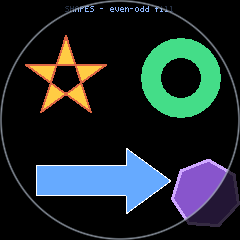
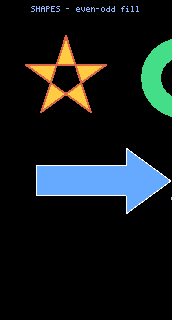
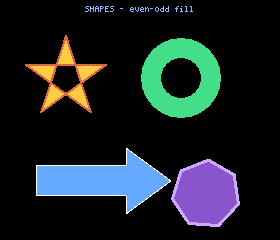
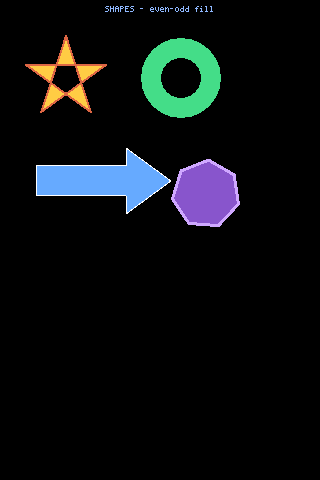
examples/shapes — SVG-style filled paths, even-odd rule.
Round, 240×240. examples/shapes — SVG-style filled paths, even-odd rule. ▶ Run it
examples/shapes — SVG-style filled paths, even-odd rule.
Portrait, 172×320. examples/shapes — SVG-style filled paths, even-odd rule. ▶ Run it
examples/shapes — SVG-style filled paths, even-odd rule.
Landscape, 280×240. examples/shapes — SVG-style filled paths, even-odd rule. ▶ Run it
examples/shapes — SVG-style filled paths, even-odd rule.
Portrait, 320×480. examples/shapes — SVG-style filled paths, even-odd rule. ▶ Run it

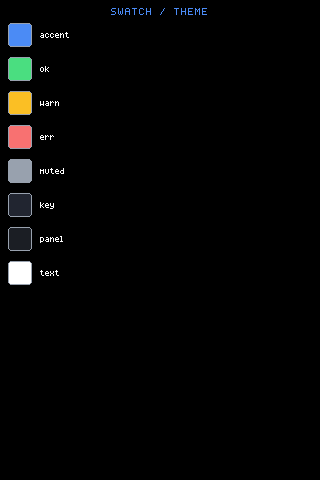
UI.theme — the colours every built-in component reads: eight named swatches, and bg, the ninth, is the black they are drawn on. Colours are 24-bit 0xRRGGBB throughout the API and each backend converts to its own depth, so an app must not compare exact colours across backends.

theme: {
bg: 0x000000, panel: 0x1b1e24, text: 0xffffff, muted: 0x98a1ae,
accent: 0x4b8bf5, ok: 0x4ade80, warn: 0xfbbf24, err: 0xf87171, key: 0x212530
},
PageThe question it answers
../CONTRIBUTING.md (CONTRIBUTING.md in the repo)The one hard rule (the core file stays in the MicroQuickJS ES5 subset), how to add an example, and how to add a backend.
examples/hello — The smallest real mjsx app: a panel, a border, some centred text.
Round, 240×240. examples/hello — The smallest real mjsx app: a panel, a border, some centred text. ▶ Run it
examples/hello — The smallest real mjsx app: a panel, a border, some centred text.
Portrait, 172×320. examples/hello — The smallest real mjsx app: a panel, a border, some centred text. ▶ Run it
examples/hello — The smallest real mjsx app: a panel, a border, some centred text.
Portrait, 240×280. examples/hello — The smallest real mjsx app: a panel, a border, some centred text. ▶ Run it
examples/hello — The smallest real mjsx app: a panel, a border, some centred text.
Portrait, 320×480. examples/hello — The smallest real mjsx app: a panel, a border, some centred text. ▶ Run it
bun backends/pure-js/src/run.js examples/yours/app.jsx out/yours.ppm
bun backends/terminal/src/run.js examples/yours/app.jsx

The fleet is four Waveshare ESP32-S3 touch-LCD boards, selected at build time (docs/devices.md). Below is examples/layers — the same source, no per-board branches — on each of them, plus a desktop window.

FlagBoardPanelTouch
(default)ESP32-S3-Touch-LCD-1.69240x280 ST7789V2CST816T
--b35ESP32-S3-Touch-LCD-3.5320x480 ST7796FT6336
--b147ESP32-S3-Touch-LCD-1.47172x320 JD9853AXS5106L
--b128ESP32-S3-Touch-LCD-1.28 (round)240x240 GC9A01CST816S
examples/layers — Layering / scrolling / cropping torture test.
Round, 240×240. examples/layers — Layering / scrolling / cropping torture test. ▶ Run it
examples/layers — Layering / scrolling / cropping torture test.
Portrait, 172×320. examples/layers — Layering / scrolling / cropping torture test. ▶ Run it
examples/layers — Layering / scrolling / cropping torture test.
Landscape, 280×240. examples/layers — Layering / scrolling / cropping torture test. ▶ Run it
examples/layers — Layering / scrolling / cropping torture test.
Portrait, 320×480. examples/layers — Layering / scrolling / cropping torture test. ▶ Run it
examples/layers — Layering / scrolling / cropping torture test.
Landscape, 480×320. examples/layers — Layering / scrolling / cropping torture test. ▶ Run it
examples/layers — Layering / scrolling / cropping torture test.
Round, 240×240. examples/layers — Layering / scrolling / cropping torture test. ▶ Run it
examples/layers — Layering / scrolling / cropping torture test.
Portrait, 172×320. examples/layers — Layering / scrolling / cropping torture test. ▶ Run it
examples/layers — Layering / scrolling / cropping torture test.
Landscape, 280×240. examples/layers — Layering / scrolling / cropping torture test. ▶ Run it
examples/layers — Layering / scrolling / cropping torture test.
Portrait, 320×480. examples/layers — Layering / scrolling / cropping torture test. ▶ Run it
examples/layers — Layering / scrolling / cropping torture test.
Landscape, 480×320. examples/layers — Layering / scrolling / cropping torture test. ▶ Run it
examples/layers — Layering / scrolling / cropping torture test.
Round, 240×240. examples/layers — Layering / scrolling / cropping torture test. ▶ Run it
examples/layers — Layering / scrolling / cropping torture test.
Portrait, 172×320. examples/layers — Layering / scrolling / cropping torture test. ▶ Run it
examples/layers — Layering / scrolling / cropping torture test.
Landscape, 280×240. examples/layers — Layering / scrolling / cropping torture test. ▶ Run it
examples/layers — Layering / scrolling / cropping torture test.
Portrait, 320×480. examples/layers — Layering / scrolling / cropping torture test. ▶ Run it
examples/layers — Layering / scrolling / cropping torture test.
Landscape, 480×320. examples/layers — Layering / scrolling / cropping torture test. ▶ Run it
examples/layers — Layering / scrolling / cropping torture test.
Round, 240×240. examples/layers — Layering / scrolling / cropping torture test. ▶ Run it
examples/layers — Layering / scrolling / cropping torture test.
Portrait, 172×320. examples/layers — Layering / scrolling / cropping torture test. ▶ Run it
examples/layers — Layering / scrolling / cropping torture test.
Landscape, 280×240. examples/layers — Layering / scrolling / cropping torture test. ▶ Run it
examples/layers — Layering / scrolling / cropping torture test.
Portrait, 320×480. examples/layers — Layering / scrolling / cropping torture test. ▶ Run it
examples/layers — Layering / scrolling / cropping torture test.
Landscape, 480×320. examples/layers — Layering / scrolling / cropping torture test. ▶ Run it
examples/layers — Layering / scrolling / cropping torture test.
Round, 240×240. examples/layers — Layering / scrolling / cropping torture test. ▶ Run it
examples/layers — Layering / scrolling / cropping torture test.
Portrait, 172×320. examples/layers — Layering / scrolling / cropping torture test. ▶ Run it
examples/layers — Layering / scrolling / cropping torture test.
Landscape, 280×240. examples/layers — Layering / scrolling / cropping torture test. ▶ Run it
examples/layers — Layering / scrolling / cropping torture test.
Portrait, 320×480. examples/layers — Layering / scrolling / cropping torture test. ▶ Run it
examples/layers — Layering / scrolling / cropping torture test.
Landscape, 480×320. examples/layers — Layering / scrolling / cropping torture test. ▶ Run it

The round board is also the constrained one — 2MB quad PSRAM, a 1MB JS heap cap, and a CH343 UART bridge that needs chunked serial writes. Each of those cost real debugging, and devices.md records why.