Getting started
that same file running on real glass. Everything here runs with bun; there are no required dependencies, and nothing below needs a device until the last step.
Everything below runs on real hardware — but you can try it right now, without any, on the panel here. Edit the code and it re-runs.
1. Install, and run an example
Section titled “1. Install, and run an example”bun installThat is the whole install. SDL2 is the only native dependency in the repo and it is optional — the window sim asks for it, nothing else does.
The fastest look at the engine is the example picker, which renders into your terminal (arrow keys move a cursor, Enter taps, Esc backs out to the menu, q quits):
bun run examples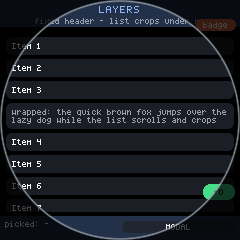
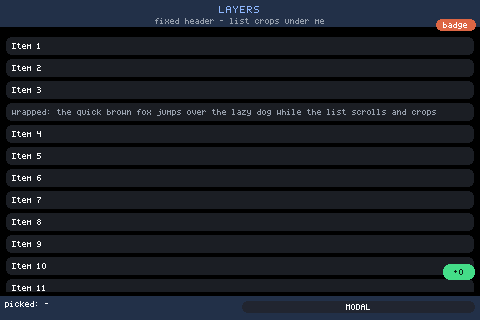
For a window that looks like the hardware — plus a live browser mirror at
http://localhost:8080 — use the CLI’s dev command:
bun packages/cli/bin/mjsx.js dev counterTwo things worth knowing early: mjsx dev loads the bundled examples
only — it takes a name (counter) or a path inside examples/ — and
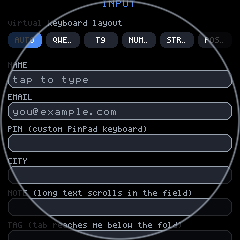
the sim’s --circle flag is a window mask, so it previews round glass
while the app still lays out square. Whether the glass is round is a fact
the host declares (configStorage’s round key, which UI.isRound()
reads once and caches); nothing in backends/ writes it. See
round.md and contract.md.
And with no terminal and no window at all, the headless runner writes a frame to a file:
bun run example:hello # -> out/hello.ppm, 240x280bun run example:counter # -> out/counter.ppm, and a second frameexample:counter writes two: the example exports a demo() the runner
drives, so it prints simulated tap at ... -> count is now 1 and writes
out/counter.after.ppm beside the first. That is the round trip — state,
UI.set, redraw — proven without a finger.
out/ is gitignored, so a fresh clone may not have it. Neither of these
creates a directory; both write exactly the path they are given.
2. Your first app
Section titled “2. Your first app”A complete mjsx app is one flat app.jsx file with no imports. h, UI,
em and the components are ambient globals, because that is what a device
hands a script. Save this as app.jsx anywhere:
function App() {  return (    <box pad={em(2)} gap={em(1.5)}>      <box bg={UI.theme.panel} radius={8} border={UI.theme.accent} borderW={2}           pad={em(1.5)}>        <text text="Hello mjsx!" size={2} color={UI.theme.text} align="center" />      </box>      <text text="one core. esp32, pi, node, browser." size={1}            color={UI.theme.muted} align="center" wrap={true} />    </box>  );}
UI.mount(App);
Thirteen lines of code, and it is examples/hello/app.jsx with its
comment header removed. Run it:
bun packages/cli/bin/mjsx.js run app.jsx # into this terminalbun packages/cli/bin/mjsx.js run app.jsx --ppm app.ppm --size 320x480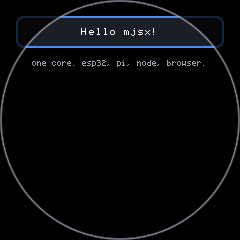
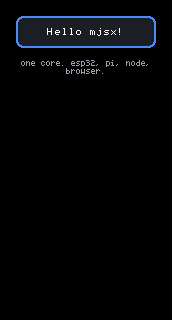
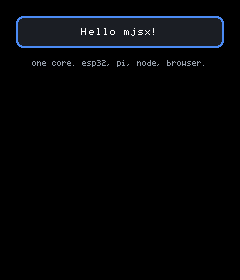
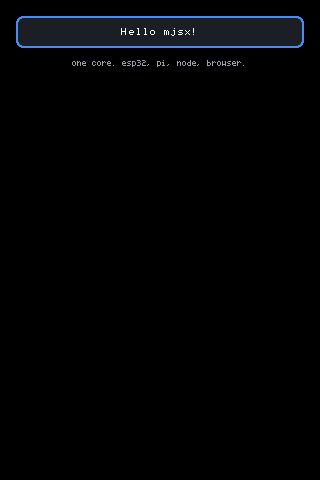
Unlike mjsx dev, mjsx run takes any path, so this is the loop for
your own files. --ppm writes exactly the path you give it and does not
create directories; it fails early and says so if the directory is
missing.
3. Make it respond
Section titled “3. Make it respond”There is no reconciler and no retained tree. A handler calls UI.set,
which shallow-merges into UI.state and marks the frame dirty, and the
next render redraws everything. That is the entire model:
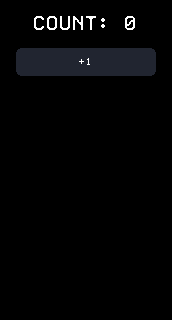
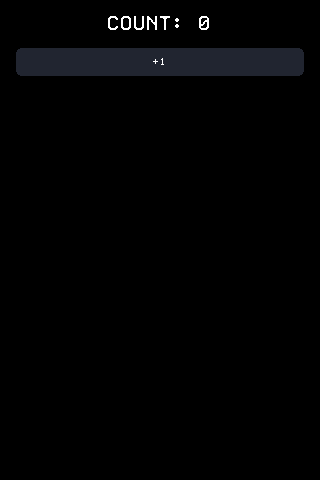
function App() {  var count = UI.state.count || 0;  return (    <box pad={em(2)} gap={em(2)}>      <text text={'COUNT: ' + count} size={3} color={UI.theme.text} align="center" />      <Button label="+1" size={2}              onTap={function () { UI.set({ count: count + 1 }); }} />    </box>  );}
UI.mount(App);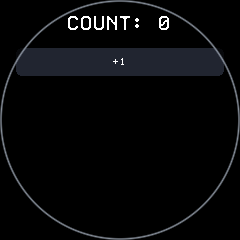
Note the ES5: var, not let; function () {}, not =>; string
concatenation, not template literals. The core file runs on MicroQuickJS
on the chip, and app code has to too. The CLI checks that for you:
bun packages/cli/bin/mjsx.js lint --level mquickjs app.jsxHanded a file that would not parse on the chip, it names the rule and the line rather than letting the board find out:
app.jsx:1  const — const is ES6; use varapp.jsx:1  arrow — arrow functions are ES6; use function () {}app.jsx:1  template-literal — template literals are ES6; build the string with +
3 problem(s) in 1 file(s) — this code would not parse on the device
--level is worth the extra typing here. The linter picks a level from
the path — packages/core/, examples/ and local-examples/ ship to a
chip and are checked as mquickjs, everything else is modern and
skipped — so an app.jsx sitting in your own directory reports
0 file(s) clean without having read a line of it. Run bare
(mjsx lint) it checks everything that ships to a device, which is the
form to put in a commit hook.
4. See it at the size it will ship at
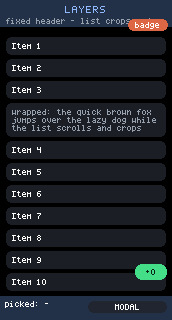
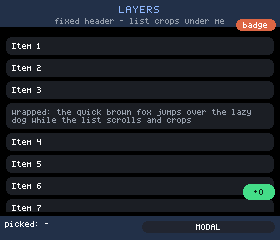
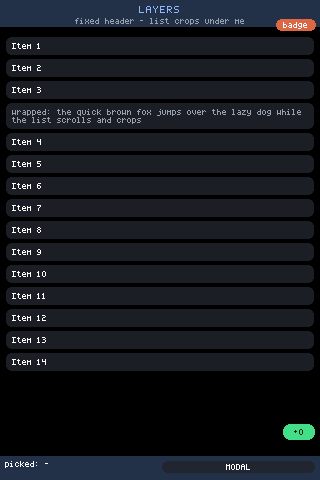
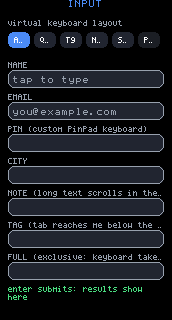
Section titled “4. See it at the size it will ship at”An app written against a 320x480 panel is not automatically an app that fits 172x320, and the honest way to find out is to render it there. The runner takes a size, and the sim cycles the real panel presets from its toolbar:
bun packages/cli/bin/mjsx.js run app.jsx --ppm app.ppm --size 172x320bun packages/cli/bin/mjsx.js dev counter 240 240 3 --circle(dev takes the sim’s own arguments after the example name — width,
height, window scale — and passes every --flag straight through.)
5. Put it on a device
Section titled “5. Put it on a device”The bridge firmware evaluates a pushed JS bundle, so shipping an app is not a reflash. A push bundles mjsx-core, the device shim and your app, and swaps it over TCP:
bun packages/cli/bin/mjsx.js fleet ls # what is on the LANbun packages/cli/bin/mjsx.js push 192.168.1.50 app.jsxThe board is checked for a pulse on port 8765 before anything is built,
so a wrong address costs seconds rather than a transpile and a stalled
socket. Nothing else is needed: the JSX is transformed by the repo’s own
packages/core/src/jsx.js — bun’s transpiler is the wrong tool here,
because it modernises the ES5 MicroQuickJS requires — and MJSX_TSC=
points the bundler at a real tsc for anyone who wants to diff the two.
The bundler also runs the step-3 subset check on your source before it
transforms anything, so a stray let fails on your machine rather than
on a board with no console.
A fresh board needs credentials first, and typing a passphrase into 172px
of glass is no way to live — mjsx device wifi <port|auto> provisions
over USB serial instead. Firmware updates go over HTTP with
mjsx ota <ip> <firmware.bin>. Both, plus the screenshot/tap loop that
makes on-hardware development bearable, are in
devices.md.
Where to go next
Section titled “Where to go next”| If you want to | Read |
|---|---|
Know every element, prop and UI call | ui.md |
| Understand how things get placed | layout.md |
| Add text entry | input.md, keyboards.md |
| Use the ready-made components | components.md |
| Target round glass | round.md |
| Reach pins, buses and sensors | hardware-api.md, sensors.md |
| Write a backend of your own | contract.md, consistency.md |
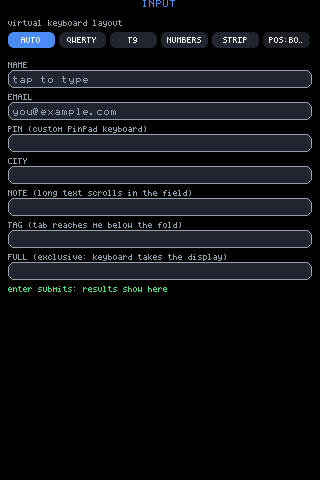
The full index, with pictures of every area, is README.md.